
🚀 Get Started with OpenClaw + LionCC in 3 Minutes
Categories: TutorialAI Tools
✨ OpenClaw — The AI that actually does things. Clears your inbox, sends emails, manages calendars, auto check-in… Control it through WhatsApp, Telegram, or any chat app!
🎯 What Can It Do?
- 📧 Email Management — Clear inbox, auto-reply
- 📅 Calendar Coordination — Smart scheduling
- ✈️ Travel Assistant — Auto check-in, flight lookup
- 🌐 Browser Control — Fill forms, scrape data
- 💬 Multi-platform Chat — WhatsApp / Telegram / Discord / Slack
- 🔒 Privacy First — Runs locally, your data stays yours
📋 Prerequisites
Install one software first: Node.js
- 👉 Go to nodejs.org
- 📥 Download the LTS version
- ✅ Double-click to install, next all the way
🛠️ Installation (Just Copy & Paste)
Open Terminal (Mac) or Command Prompt (Windows), run:
# 💻 Step 1: Install OpenClaw
npm install -g openclaw

# 💻 Step 2: Install LionCC
curl -fsSL https://raw.githubusercontent.com/Jascenn/lioncc/main/install.sh | bash
🔑 Get Your API Key
- 👉 Go to vibecodingapi.ai
- 📝 Register and login
- ➕ Click “Token Management” → “Add New Token”
- 🏷️ Select group
Claude Code(CC) - 📋 Copy the Key
⚙️ Configure OpenClaw with LionCC
lioncc
👇 Follow the prompts to complete 3 steps:
- 🔑 Enter API Key → Paste the key you just copied
- 🏢 Select Provider → Use ↑↓ arrow keys to select VibeCoding, press Enter
- 🤖 Select Model → Recommended:
claude-opus-4-5-20251101(strongest)
✅ You’ll see “Configuration saved!” when done
▶️ Start Using
Open two terminal windows:
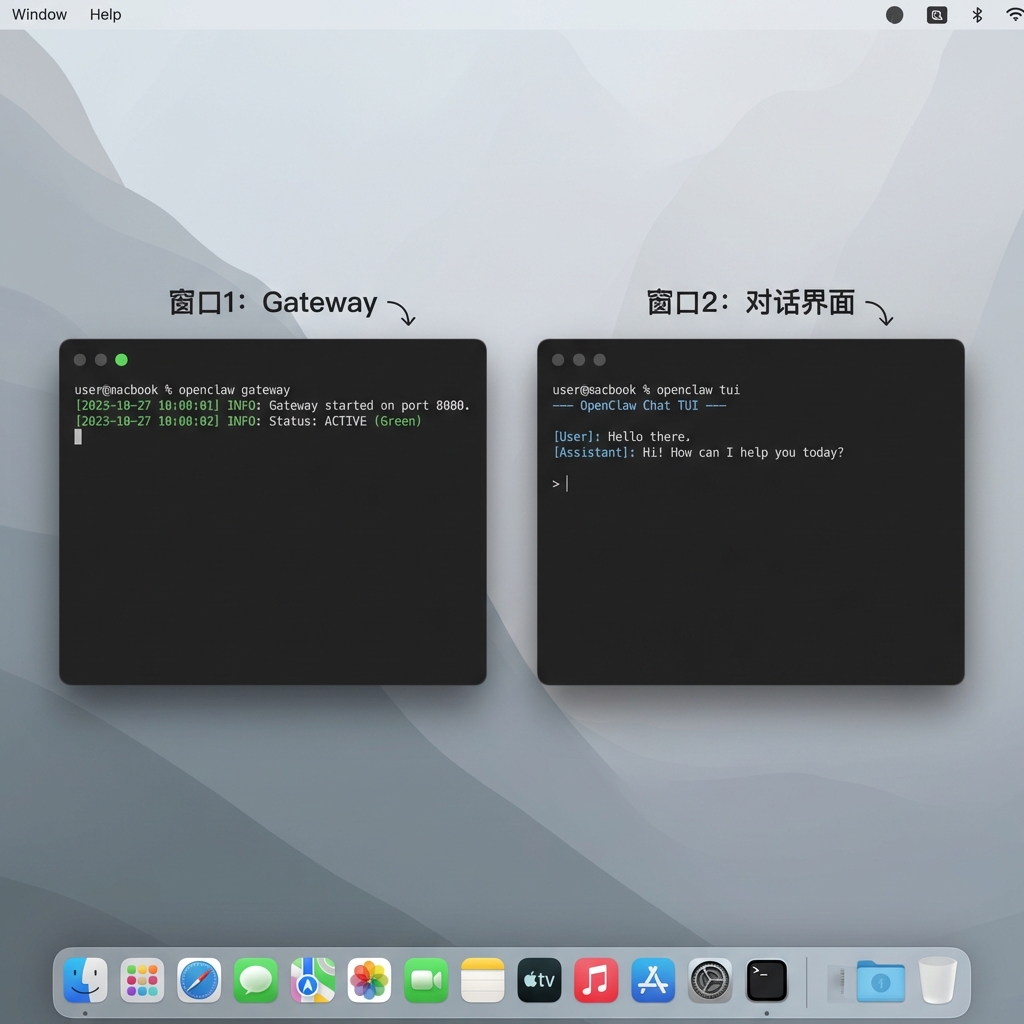
# 🖥️ Window 1
openclaw gateway

# 💬 Window 2
openclaw tui
🎉 Done! Start chatting!
📚 More Resources
👉 Full Documentation on Feishu
🆘 Troubleshooting
| Issue | Solution |
|---|---|
| ❌ command not found | Reinstall Node.js, restart terminal |
| 😐 No response | Check if Window 1 is running |
| 🔄 Change Key | Re-run lioncc |